Your personal Chrome stays private.
The agent never sees your email, bank or admin sessions.
See what is isolatedA separate browser for your coding agent
A separate, visible browser for every project your coding agent touches. Pause or take over any time.

The skill guides isolated workspaces, semantic browser actions, and private human handoff. It does not install Hronaut, configure MCP, or contain secrets.
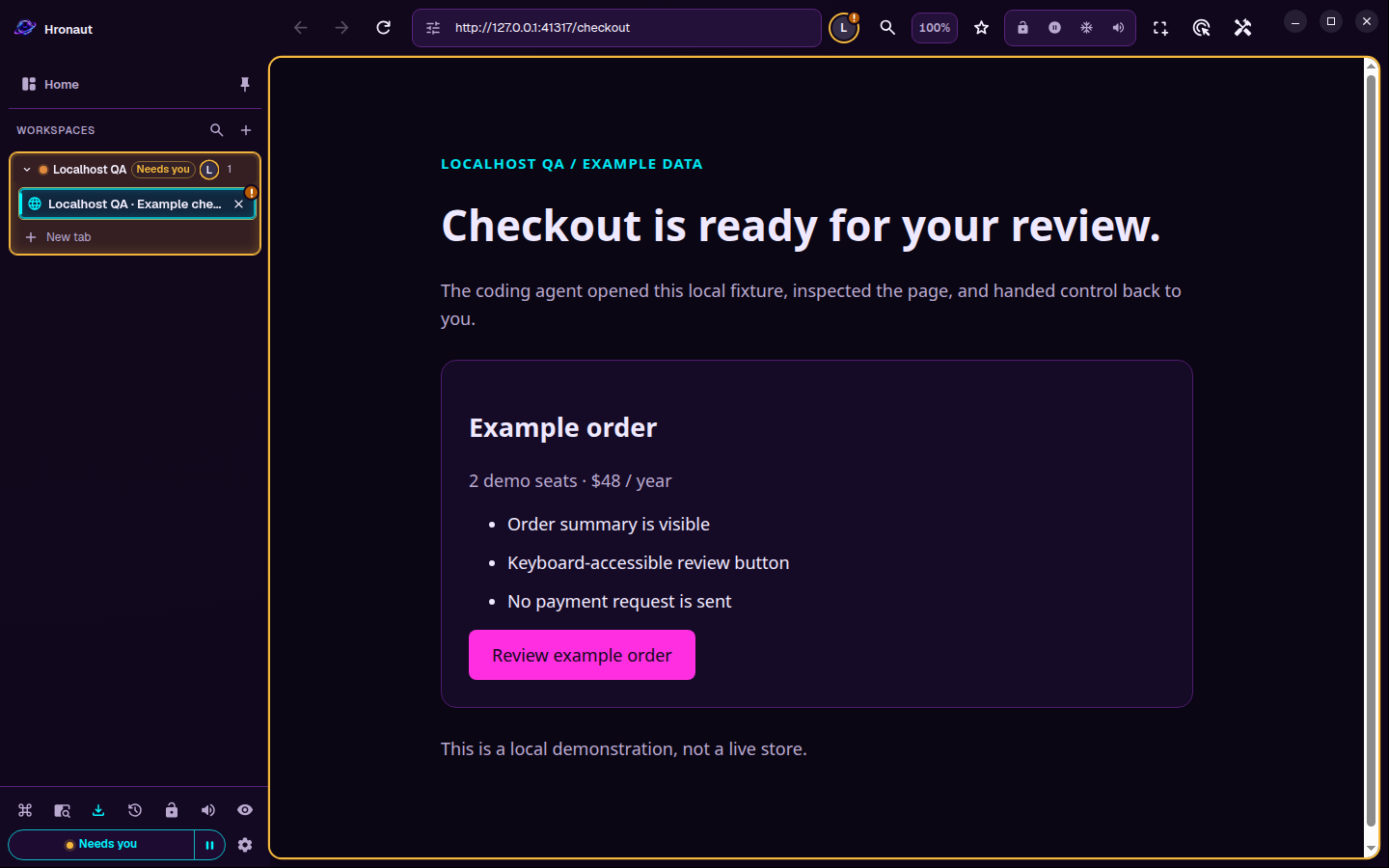
npx skills add hronaut/hronaut --skill hronautAn agent connects to Hronaut over local MCP, creates an isolated workspace called Checkout QA and opens a local example cart. It reads the page, adds one notebook so the total becomes $36.00, and opens the review step. It then asks for a person, and the tab is marked for attention. A person types a review note and confirms the review in the same tab; the page says no payment was sent.
Hronaut Home shows one active MCP session. The first agent disconnects and the count drops to zero, while the workspace, tab and result remain. A second agent connects, finds no workspaces of its own, resumes Checkout QA with the workspace’s private resume key, and reads the saved result.
Recorded at normal speed from an unmodified Hronaut 3.3.1 source build. The demo agents are MCP SDK clients, not a named AI client; the person’s input is driven by the capture harness. Example Store is a local page with example data. Not shown: the installer, a real login or external website, a payment, or an app restart. Original synthwave score. Download the 38-second tour.
Or Watch the recorded reconnect check: a client disconnects, the page stays, and a new client explicitly resumes the workspace.
| Question | Playwright MCP | Chrome DevTools MCP · Browser MCP | Hronaut |
|---|---|---|---|
| Whose browser | A managed automation browser | Your everyday Chrome | A separate desktop app |
| Where sign-ins live | A project profile | Your live Chrome profile | A named workspace per project |
| Best for | Repeatable automation and tests | Debugging in the Chrome you have open | Recurring signed-in checks across projects |
Other tools can keep sessions too. Free tools are the right choice for CI or a quick debug. Read the full comparison →
Other computers need your explicit opt-in.
Every site runs in Chromium’s sandbox.
Watch every step and take over when you want.
Checksums and GitHub build attestations for every package.
A connected agent is trusted with the visible browser session. See exactly what is isolated and what is not →
Latest releaseWindows, macOS, and Linux packages with SHA-256 hashes and GitHub build attestations.Pricing and trial
All features. One named user. Up to three devices.
10-day trial
10 consecutive days from your first agent tool call. No credit card required.
Subscription seat
Equivalent to $2/month, billed annually — 50% off $48.
1 seat · $24 / year before applicable tax
Secure Creem checkout is loading.
Source-available under the Hronaut Subscription and Trial License. All ongoing use requires a subscription after the trial. Cancellation and refunds · Manage subscription
An immediate cancellation ends access immediately; end-of-period cancellation keeps access through the paid date. Cancellation does not request a refund. After expiry, agent automation stops; browser data remains accessible manually for recovery, export, and deletion. Read the refund policy.
Before you install
Bring your own coding agent, such as Codex, Claude Code, or Cursor. Your agent or model costs are separate. Choose your agent.
Yes. Open your local app or sign in inside a project workspace. Website sessions can expire; Hronaut does not bypass login or 2FA. Keep Hronaut and the agent connection running for automation.
The 10-day trial starts with your first agent tool call. No card or automatic billing. All ongoing use requires a subscription. After expiry, automation stops and browser data remains accessible manually for recovery, export, and deletion.
Profiles stay on your computer. Websites receive normal browser traffic, and your agent can receive page contents. If that agent uses a cloud model, its data handling applies. Read the security boundary.
Initial packages are not platform code-signed or Apple-notarized. Verify published hashes and GitHub attestations before installing. Verification steps · Get help.
10-day trial from your first agent tool call. No credit card required.
 ▶
▶